Request
An employee creates a request: line items, deadline, site and priority.
From request to delivery — in one system. Approval follows your rules, and every step is recorded.
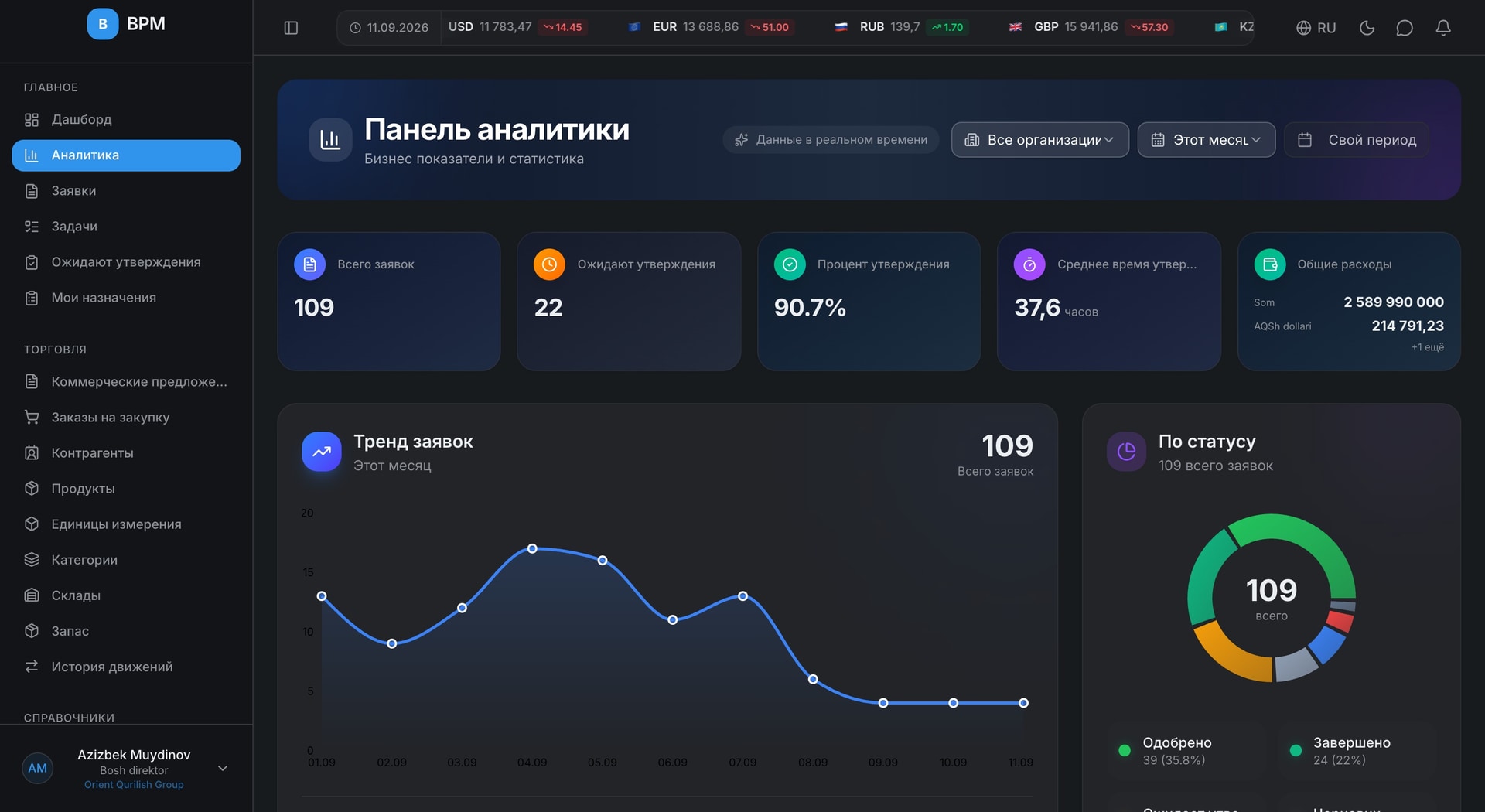
Every step is recorded in the system. Nothing is left to a verbal agreement.
An employee creates a request: line items, deadline, site and priority.
The system picks the right chain by amount and priority.
Supplier quotes, the order, the contract and delivery tracking.
Goods received, reserved and issued.
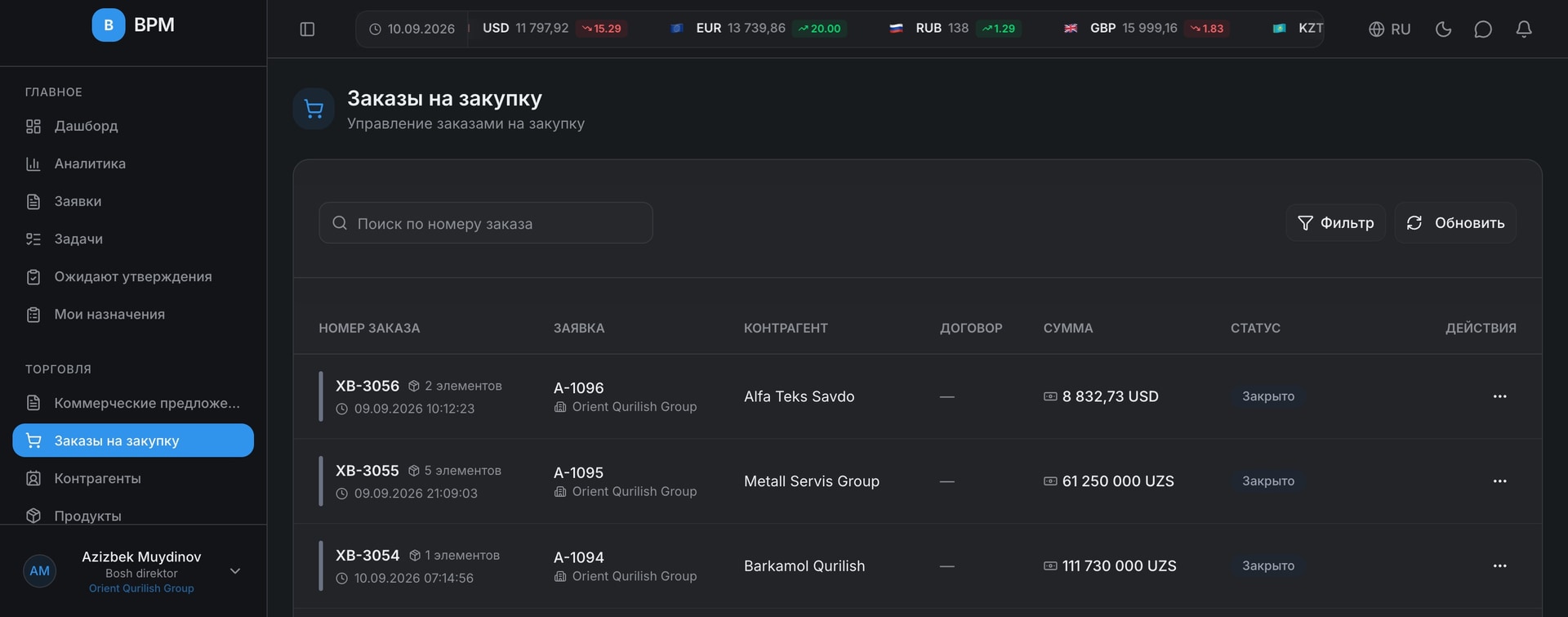
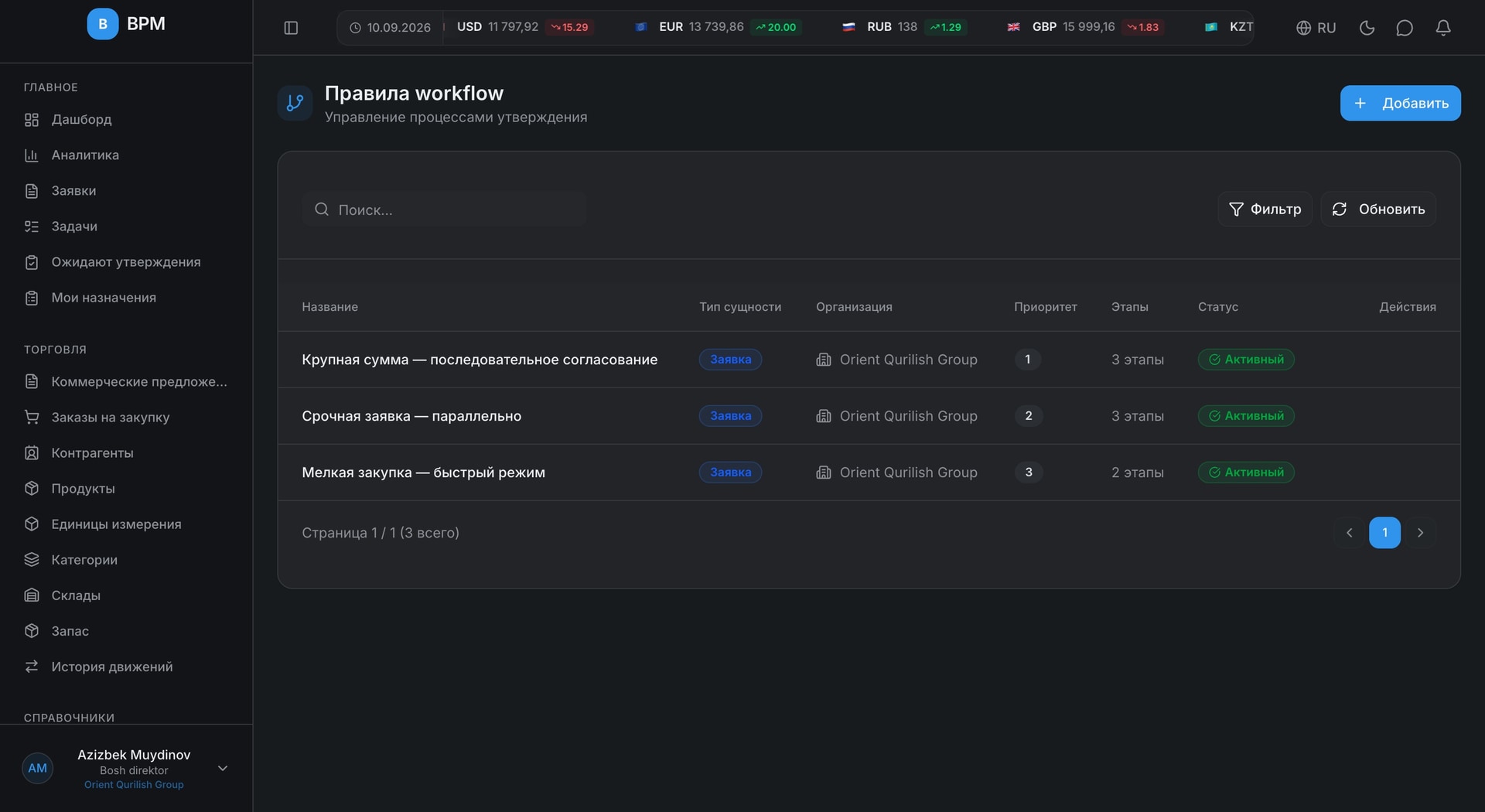
The screens below are captured from a running BPM instance. Nothing is illustrated.
Every request with its number, deadline, priority and status. Overdue ones are flagged in red.
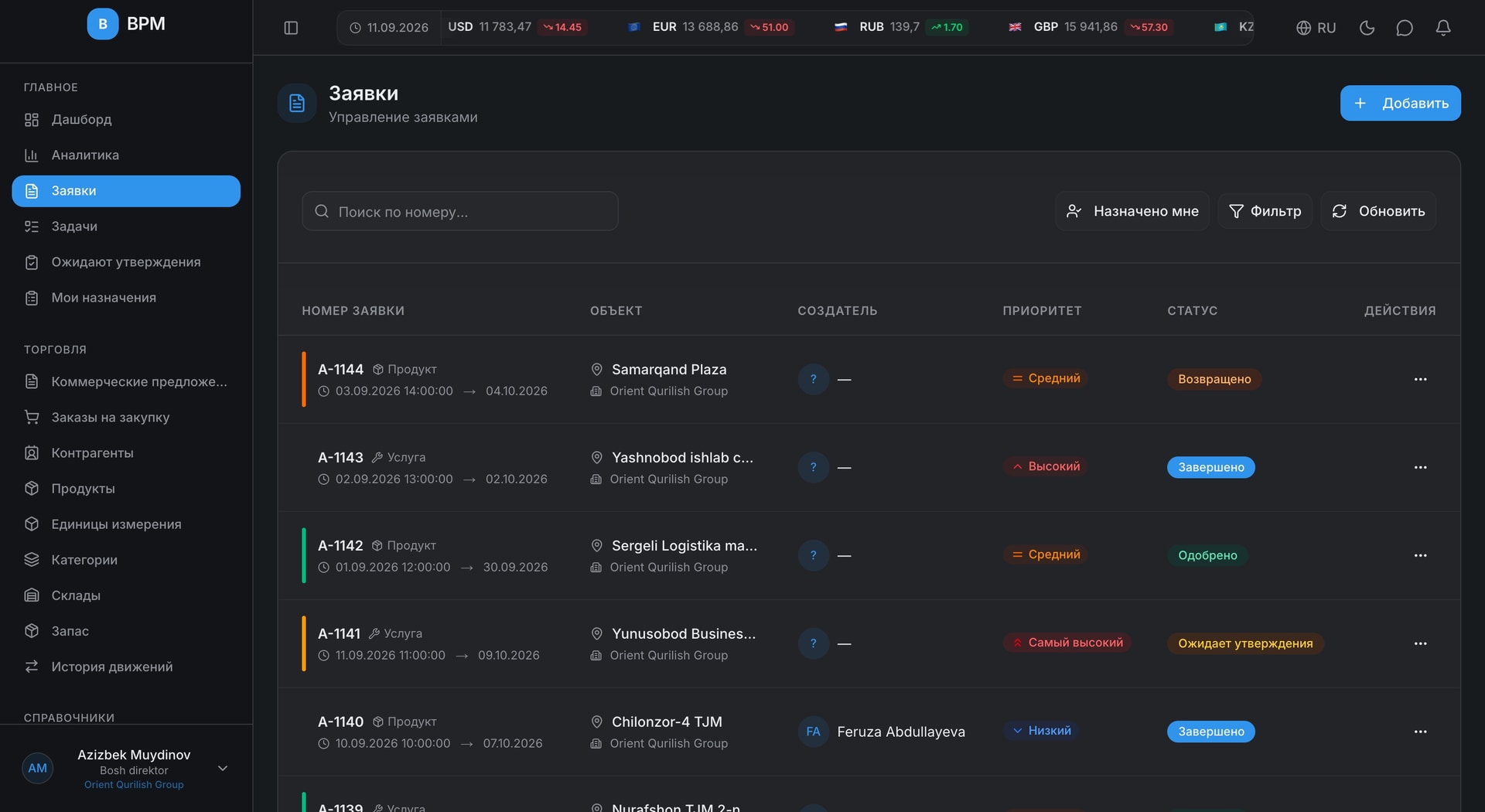
Who approved, when, and with what comment. You also see who is holding it right now.
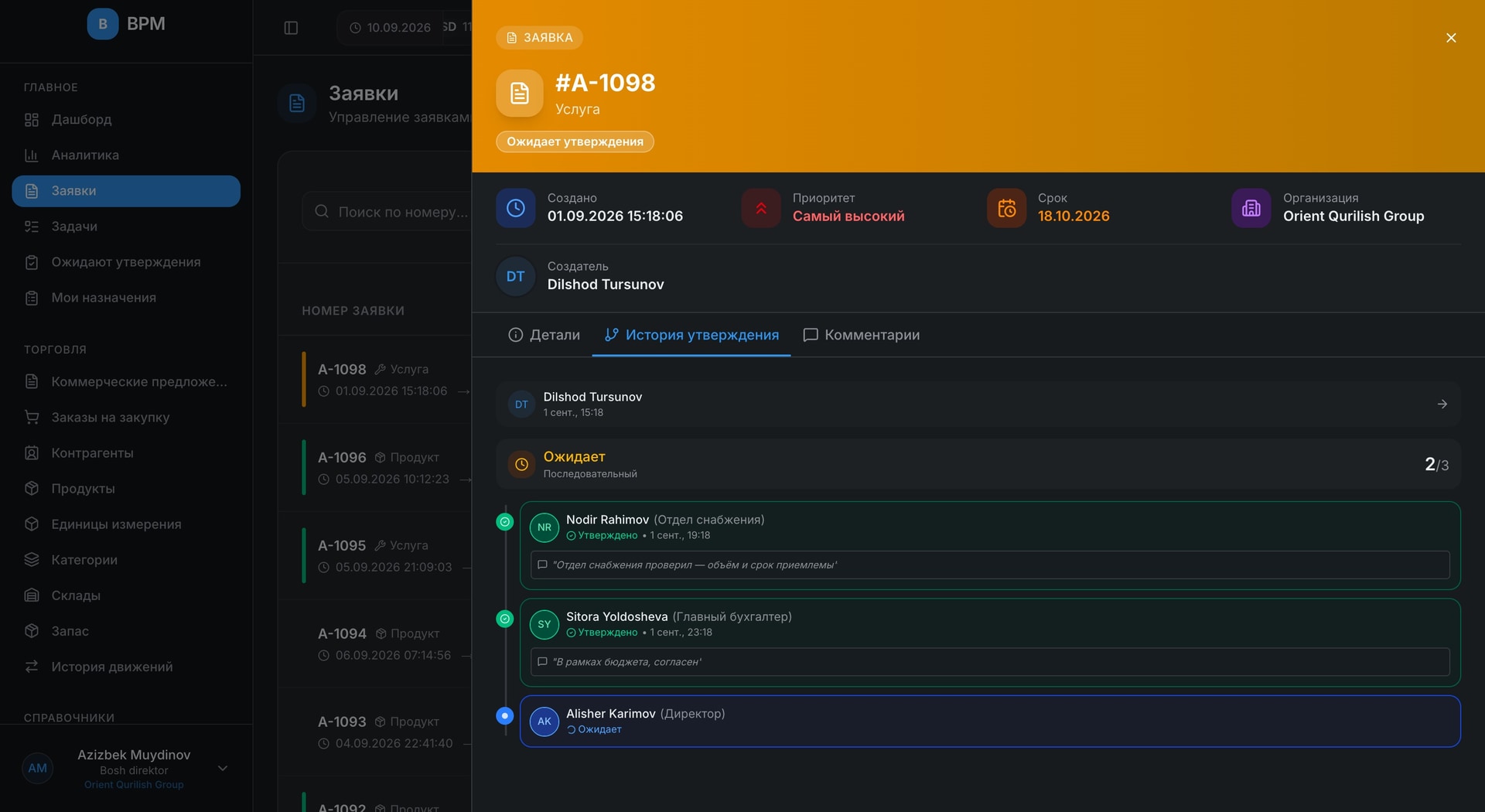
Supplier pricing in one list — with currency and VAT. Each one is linked to its request.
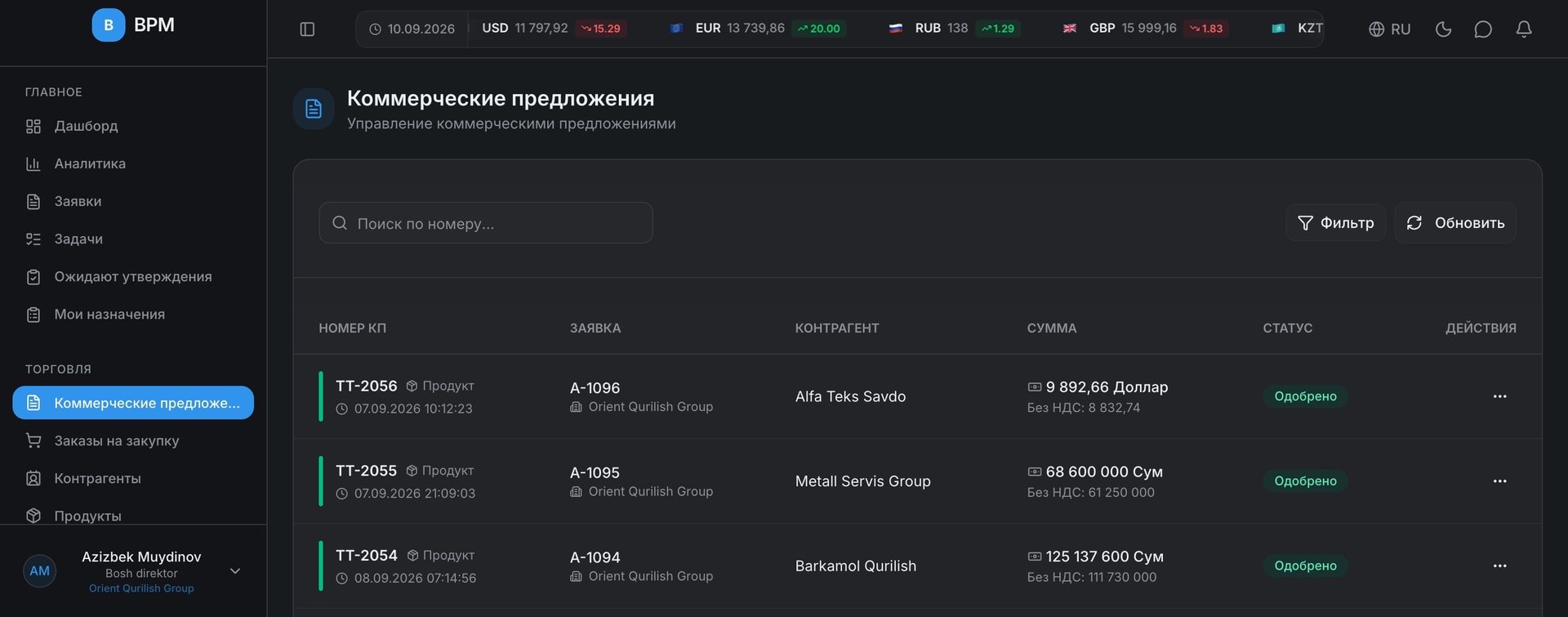
The order, the contract, the delivery date and its status. Each links back to its request.
You decide which chain runs, based on amount, priority and request type.
Most systems stop once a request is approved. BPM carries the purchase through to the end.
Items, deadline, site
Chain by rule
Supplier pricing
Order and terms
Attached as a file
Deadline and status tracking
Receipt, reserve, issue
The warehouse and stock module is built and is currently in final testing.
All the functions needed to grow your business are gathered on one platform.
Purchase, repair and travel requests in one register — with status, deadline and history.
Sequential or parallel approval. Flexible rules.
Various roles and permissions for users.
Manage multiple organizations on one platform.
Product catalog, categories and units of measurement.
Real-time notifications and email alerts.
RSA encryption, JWT tokens and secure authentication.
Detailed statistics and visual reports.
Interface in Uzbek, Russian and English.
Complete history of all changes.
Use from any device.
Optimized system, fast loading.
Permissions are granted per action, not per module — everyone sees only their own work.
You can see where a document is and how long it has been sitting there. Approving works from a phone too.
Spend by currency, contracts and the full history of every request.
Requests, quotes, orders and deliveries — in one place.
Receipts, reservations, issues and stock levels.
Audit and control are not an add-on; they are the core of the product.
Login and password never travel over the network in the clear.
You can see which device signed in, and end a session.
Failed attempts are recorded; the account locks on password guessing.
Over 140 separate permissions: view, create, approve, delete.
One legal entity's data is never visible to another.
Every change is stored with its author and timestamp.
Pricing is agreed individually — it depends on the number of users, organizations and the modules you need. Get in touch and we will work it out.
Write to us — we will set up your approval chain in the system and show it running. The demo takes about 30 minutes.
Uzbek, Russian and English. The language is chosen per user, and error messages are translated too.
Yes. The interface is responsive and approving a request works from a mobile browser. Notifications arrive as push messages.
Enter the tax ID and the company name is filled in automatically from the tax service database. The remaining details are entered manually.
Yes. Each organization's data is isolated, yet a consolidated report is still available.
We will walk through the system on your own data — the demo takes 30 minutes.